
 Keel · by 38South Digital
The AI keeps the books. Plain code checks every figure.
Keel is the accounting system we built and moved our own company onto when we switched off Xero. The bank syncs daily, invoices and reminders go out from it, it works out the BAS and GST each quarter, and every change to the books is checked before it's saved.
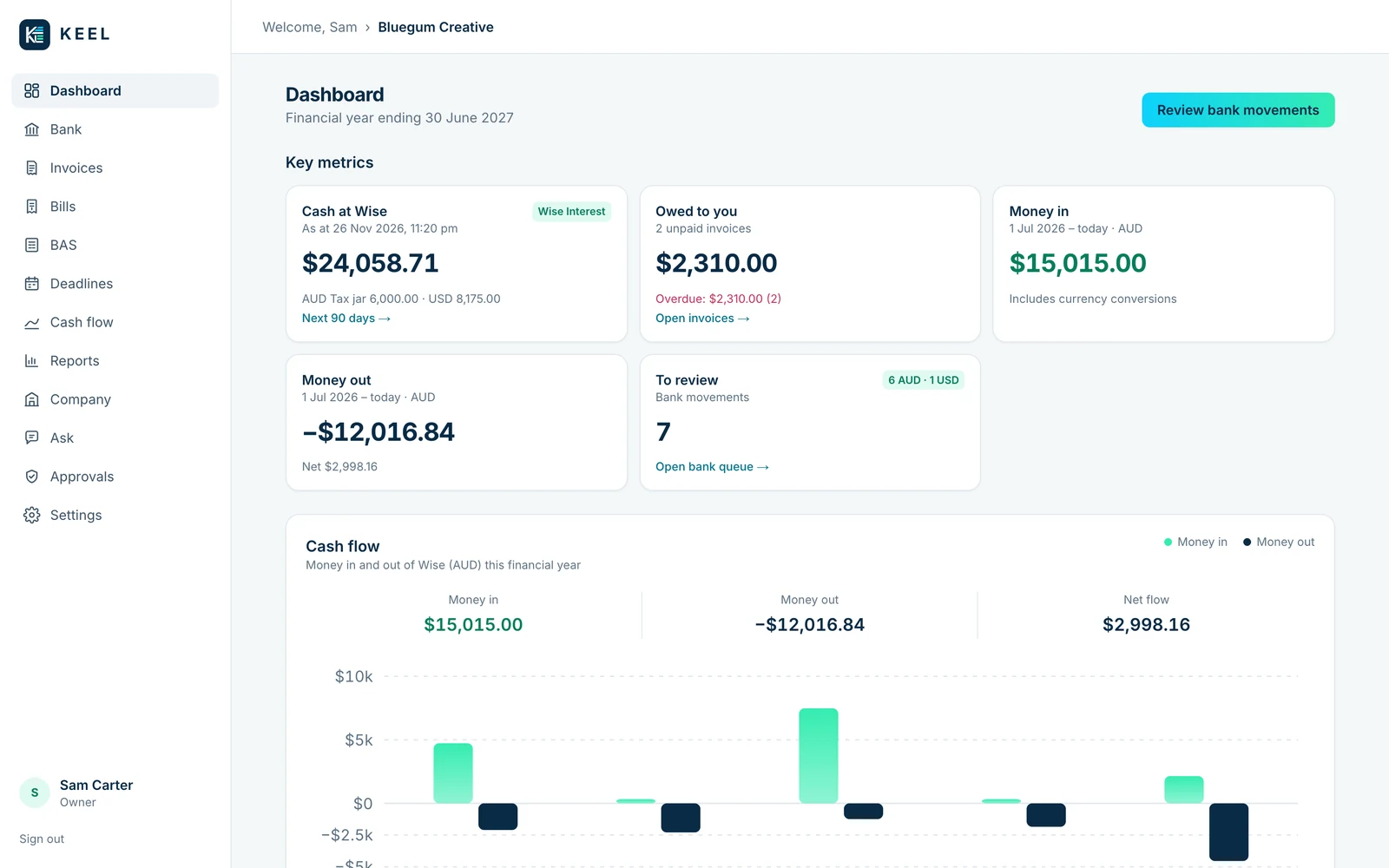
What a small business actually uses, and nothing it doesn't.
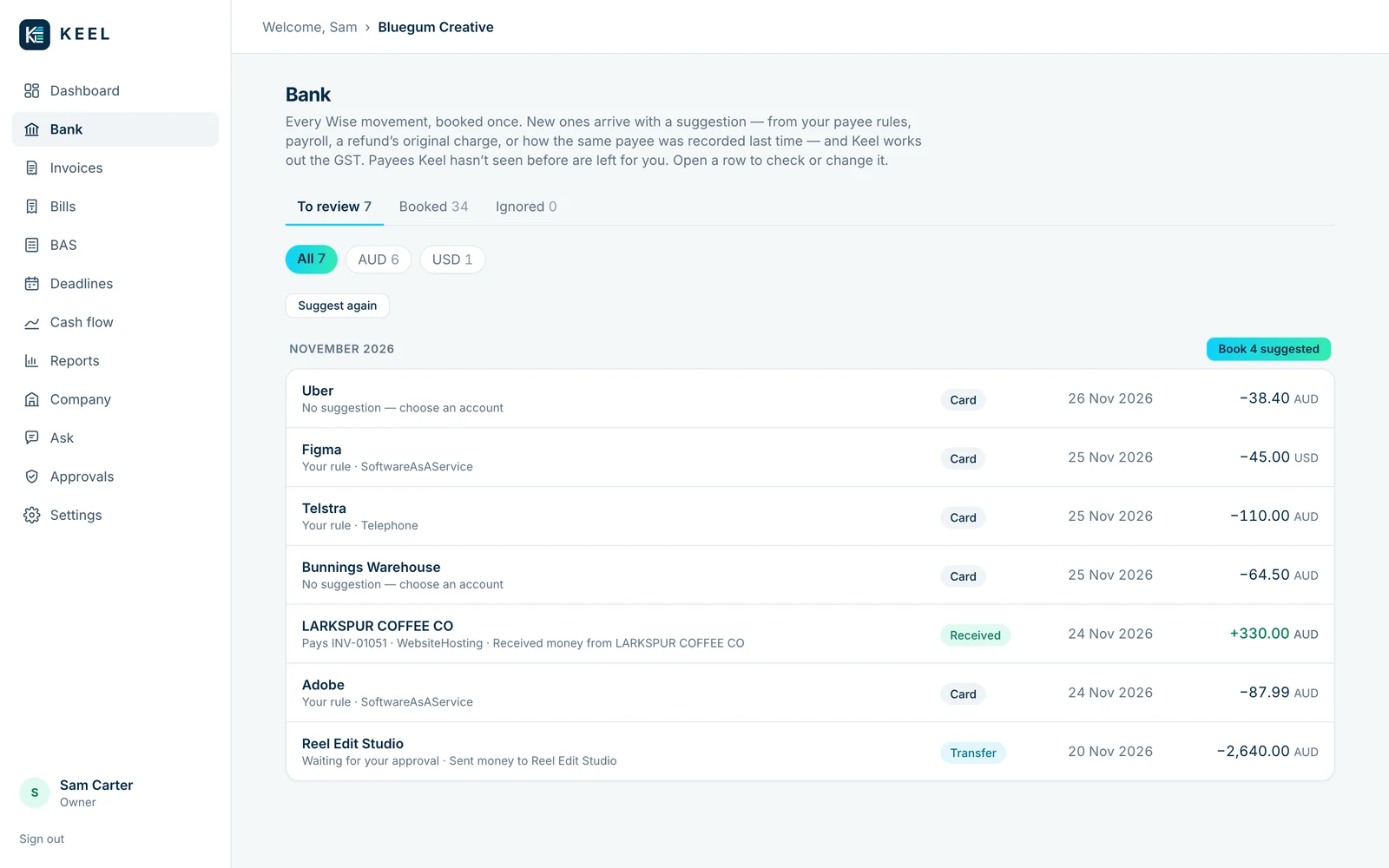
Bank sync, every day
Every bank movement arrives once, with a suggestion from your rules or from how the same payee was coded last time. If Keel has no good reason for one, it leaves the line blank rather than guess.
Invoices and reminders
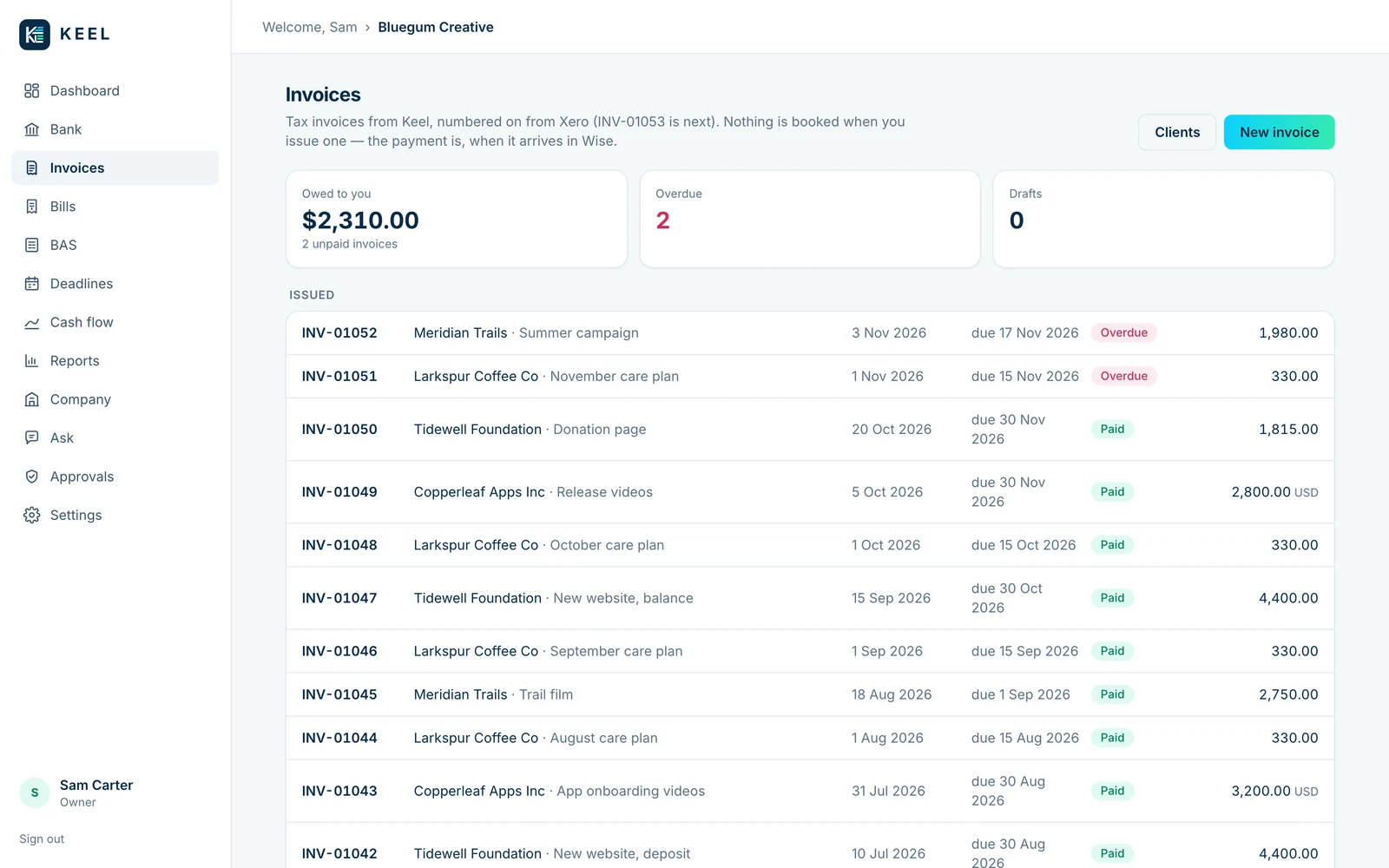
Tax invoices go out from Keel, in Australian or US dollars. Overdue reminders go out at 7 and 21 days and stop when the payment lands in the bank.
BAS and GST, worked out
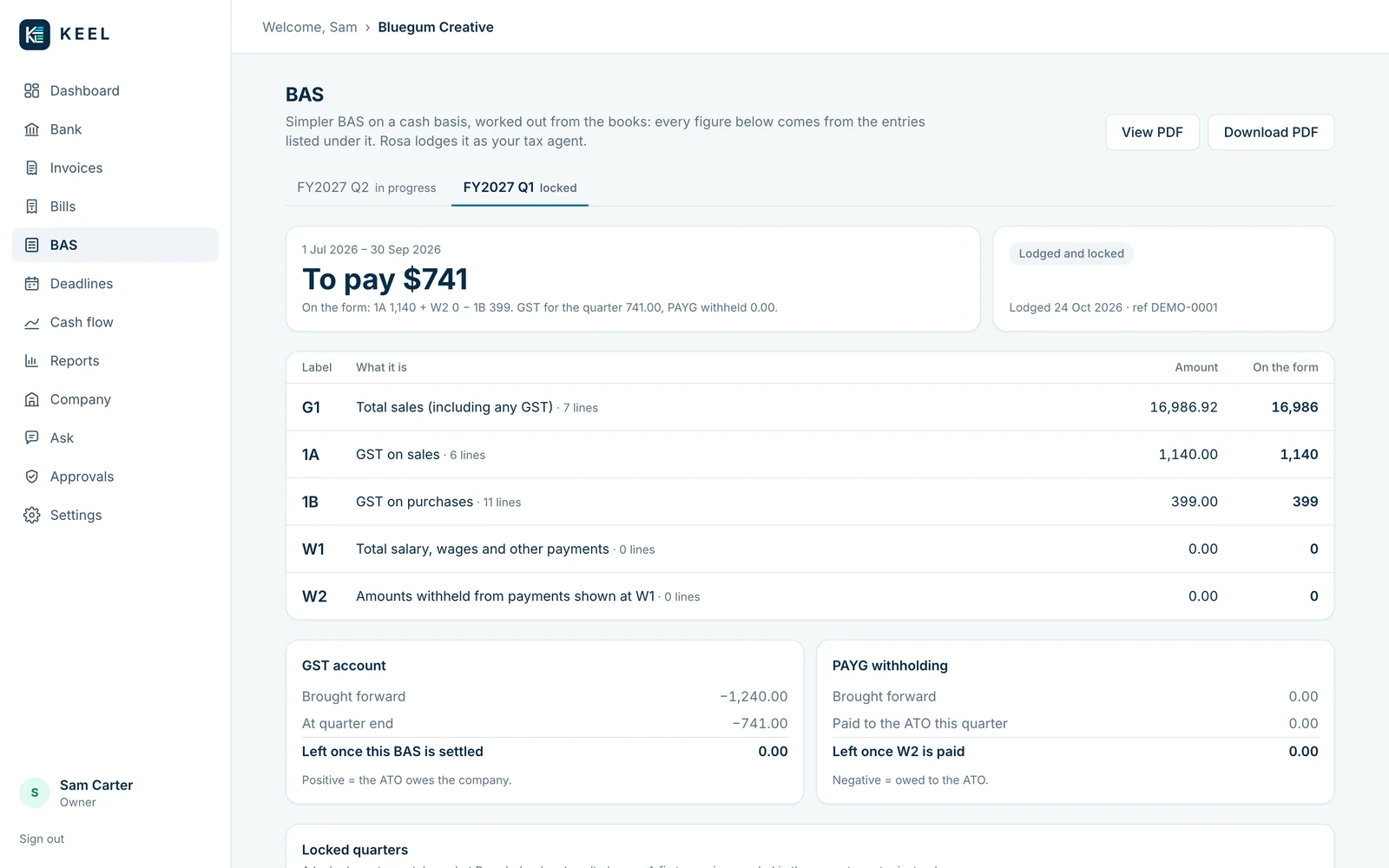
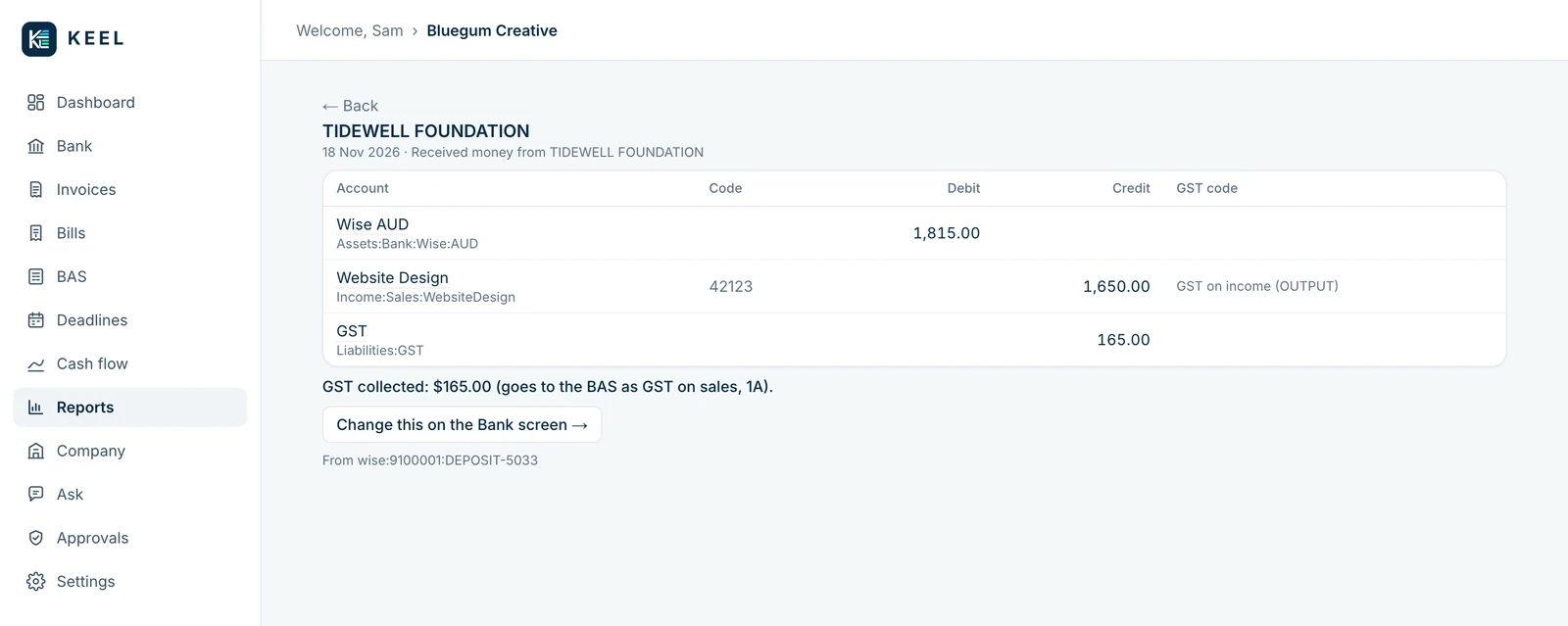
Each quarter's figures come straight from the books, label by label, and every figure opens to the entries behind it. The workpaper goes to your accountant, who lodges.
Deadlines it can see
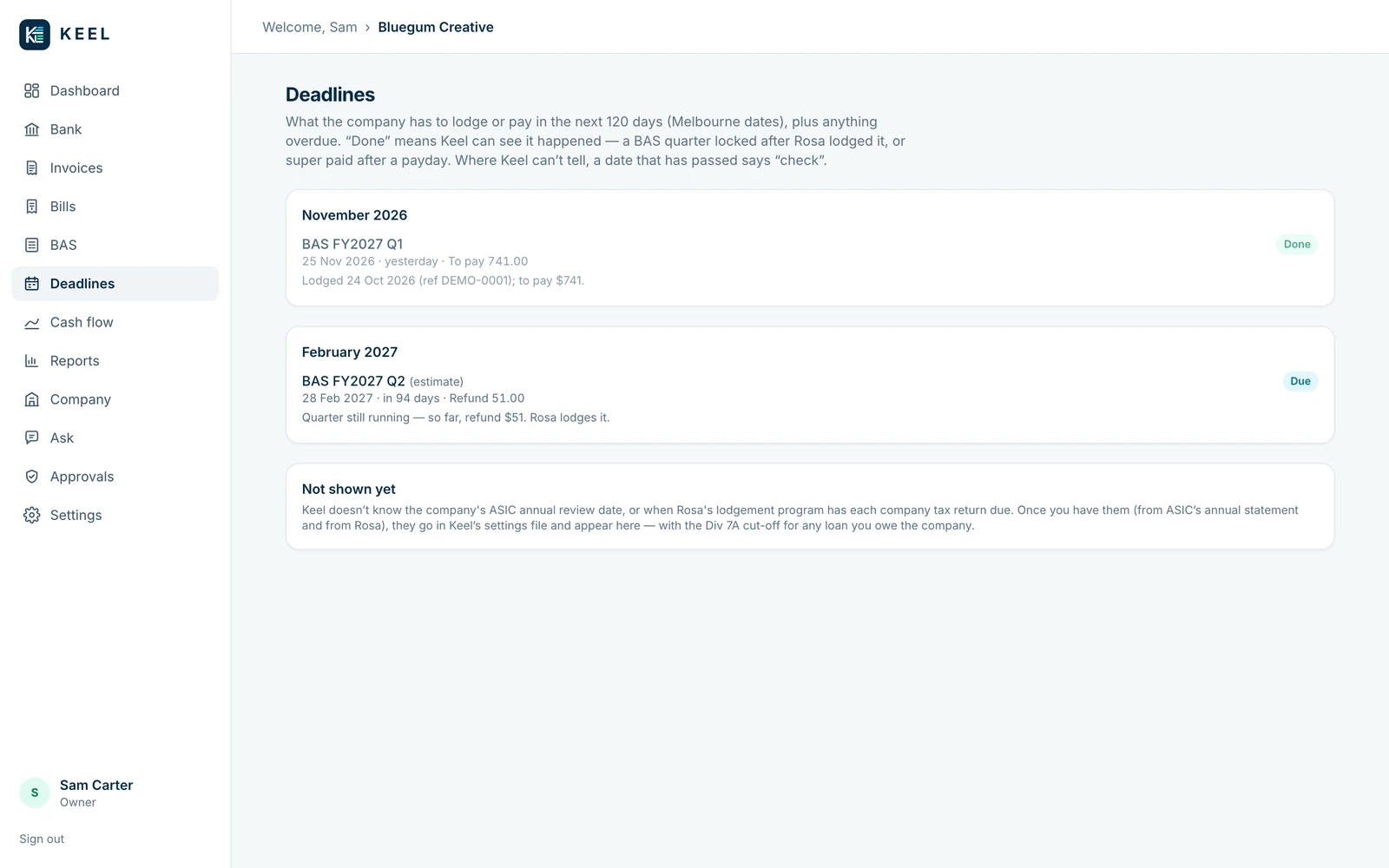
BAS, super and the company's other dates in one list. Something is only marked done when Keel can see it happened, not when someone ticks a box.
90-day cash flow
Week by week, built from money in the bank, invoices owed, bills due and BAS payments. It doesn't guess at anything else.
Your own AI, within limits
Your AI assistant can read the books, answer questions and record the routine entries. Anything large or sensitive waits for you.
No single mistake can quietly change the books.
Whether it comes from a person or an AI.
- One way in. Every change, from a person or an AI, goes through one gateway, and the gateway checks it before saving.
- It has to tie out. The books must balance, every line needs a GST code, and the bank balance in the books must match the bank to the cent. If anything fails, nothing is saved and Keel says why.
- History isn't rewritten. Nothing is deleted. A mistake is fixed with a correcting entry, and the record keeps both, with who made the change and why.
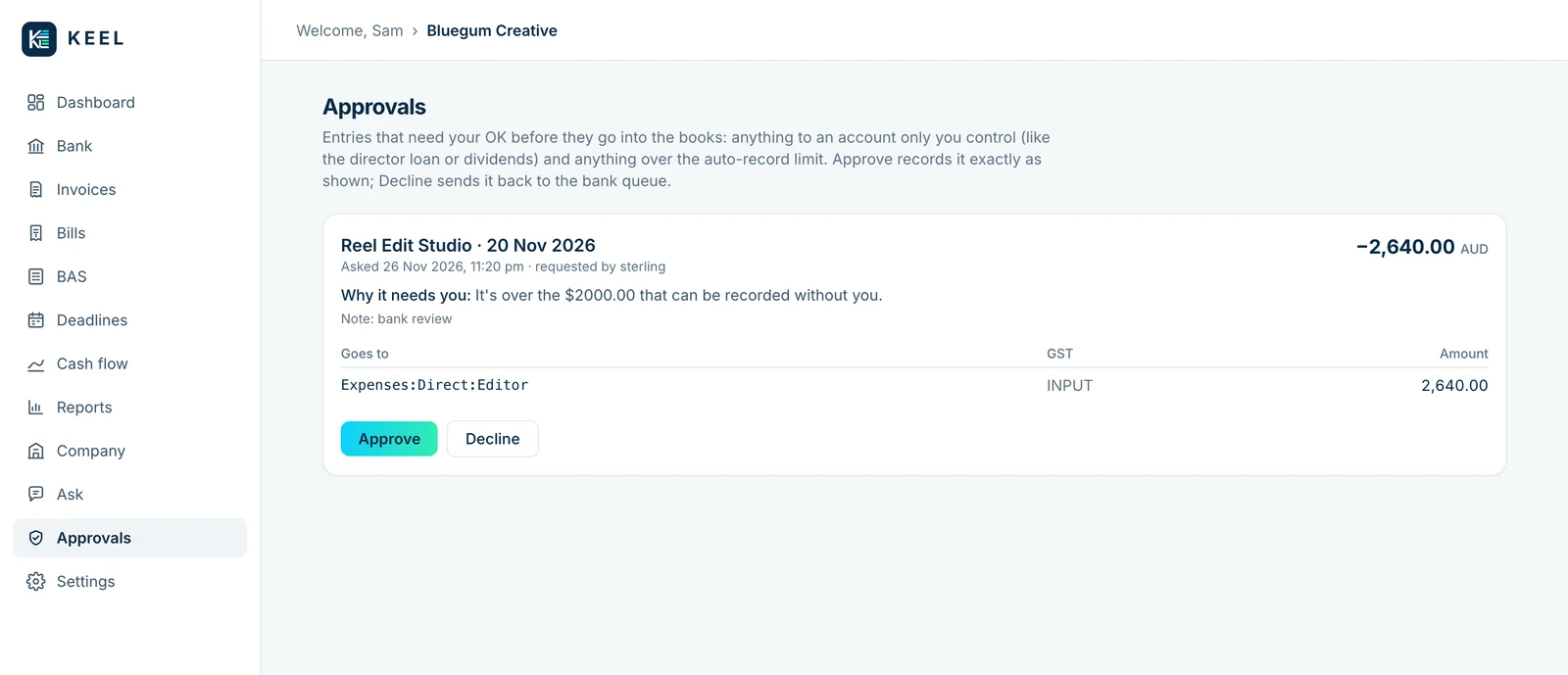
- Big things wait for you. Anything over $2,000, and anything touching accounts like the director's loan, goes on an approvals list. That applies to the AI, to your accountant and to you working fast.
Lodged quarters stay lodged.
Once a BAS is lodged, that quarter is locked and fingerprinted, so any later change is caught. If a mistake turns up afterwards, the fix is dated today and carried into the next BAS with a note explaining it. Every figure traces back to the entries behind it.
What people asked when we switched off Xero.
Why build accounting software at all?
Not to save a subscription fee. We were on a top-tier plan because of two features: payroll for a very small team, and multi-currency for clients who pay in US dollars. The cheaper packages that handle foreign currency each had a gap somewhere else. We also wanted to find out whether AI could keep real books safely, on our own company before anyone else's.
Who built it?
We did, working with AI coding agents. We set what it must do and what it must never do. Every change was tested before it went in, and Keel now has more than 740 automated tests. Our accountant still checks the figures and lodges the BAS.
Isn't do-it-yourself accounting risky?
It is if it's built like most software. Keel is built around the checks above. It also ran alongside Xero first: we compared the quarter line by line, and every difference needed a written reason before we trusted it. Our first BAS from Keel was lodged in November 2026.
What happened to years of Xero history?
We took a full archive of the Xero file and checked it before access closed, and we keep it in plain files we own. Keel's books start from opening balances at 30 June, and its reports show last year's figures beside this year's, taken from Xero's archived month-end numbers.
What about payroll?
Keel doesn't run payroll and won't. Reporting pay to the ATO needs certified software, and super now gets paid with every payday, so that belongs in a dedicated payroll service. Keel imports each pay run's totals.
Can I use Keel for my business?
Not off the shelf yet. Each business gets its own copy of Keel, with its own books and settings, set up around its bank, currencies and accountant. You still need an accountant or BAS agent to lodge. Keel connects directly to Wise; other banks need an open-banking feed, so that's the first thing we'd check.
To be straight about it: for most small businesses a mainstream accounting package is still the right answer. If one feature has you on a bigger plan than you need, check whether a cheaper plan or a different package solves it before building anything. Keel makes sense when your business has a shape the packages handle badly, or you want books you own rather than rent.
Interested in Keel for your business?
We set Keel up for each business that wants it, around how that business actually works, and we'd like to hear what you'd want it to do. For the longer story of how it's built, read The AI Does the Bookkeeping. It Never Does the Maths.
Talk to us about Keel →Built by 38South Digital. Screenshots show a made-up business and sample figures. As with anything tax, check with your own accountant. See our other products.