
A team of AI assistants you message from your desktop or phone.
OiChief reads your email, checks the calendar, drafts replies, keeps notes and runs a morning briefing. It lives on one computer at your premises, runs on Claude, ChatGPT or the model of your choice, and stops to ask before it sends, books, pays or deletes anything.
Like having a capable assistant on call, without hiring one.
Message it like a colleague
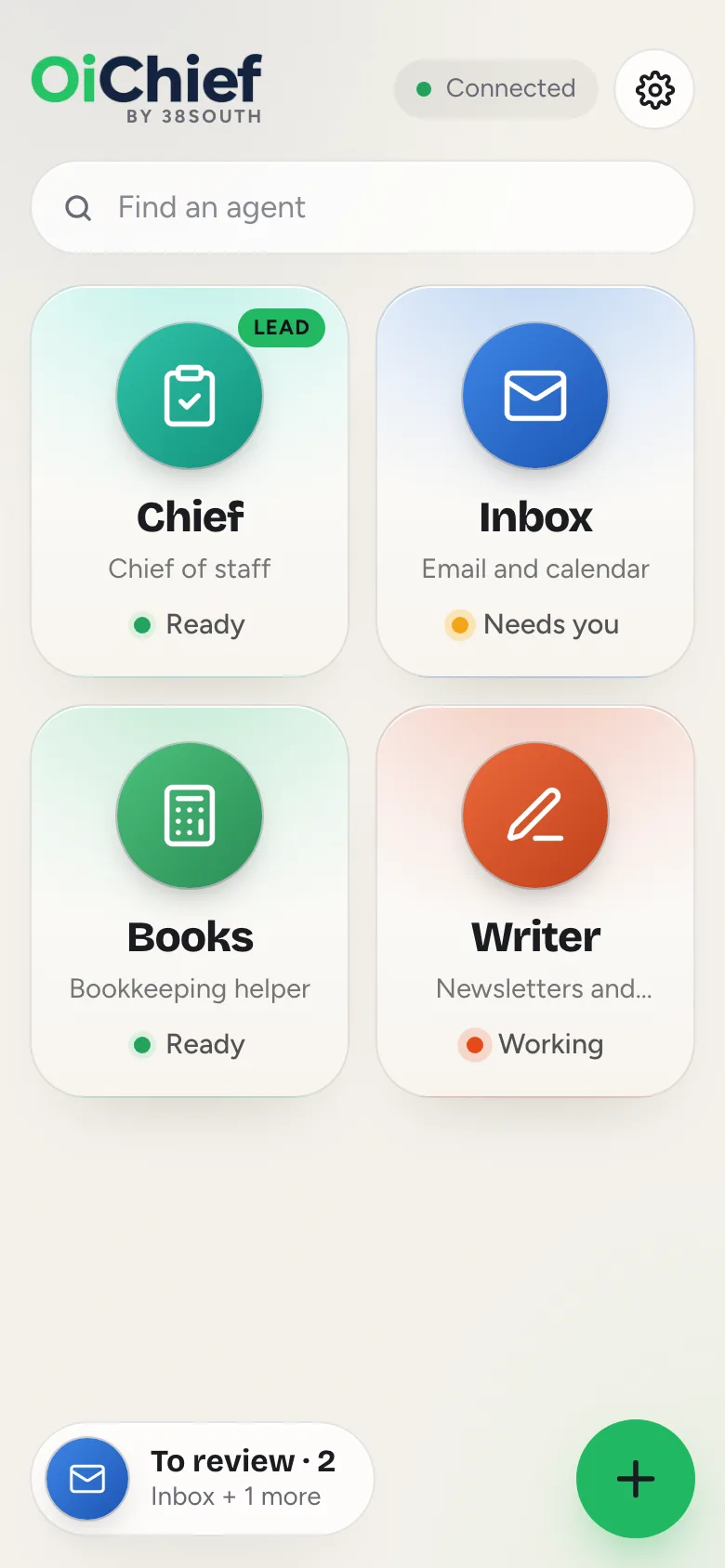
From your computer or your phone's home screen, tap an assistant, say what you need, and it gets on with it. Long jobs keep going after you close it, and you get a notification when there's an answer.
Your team, your names
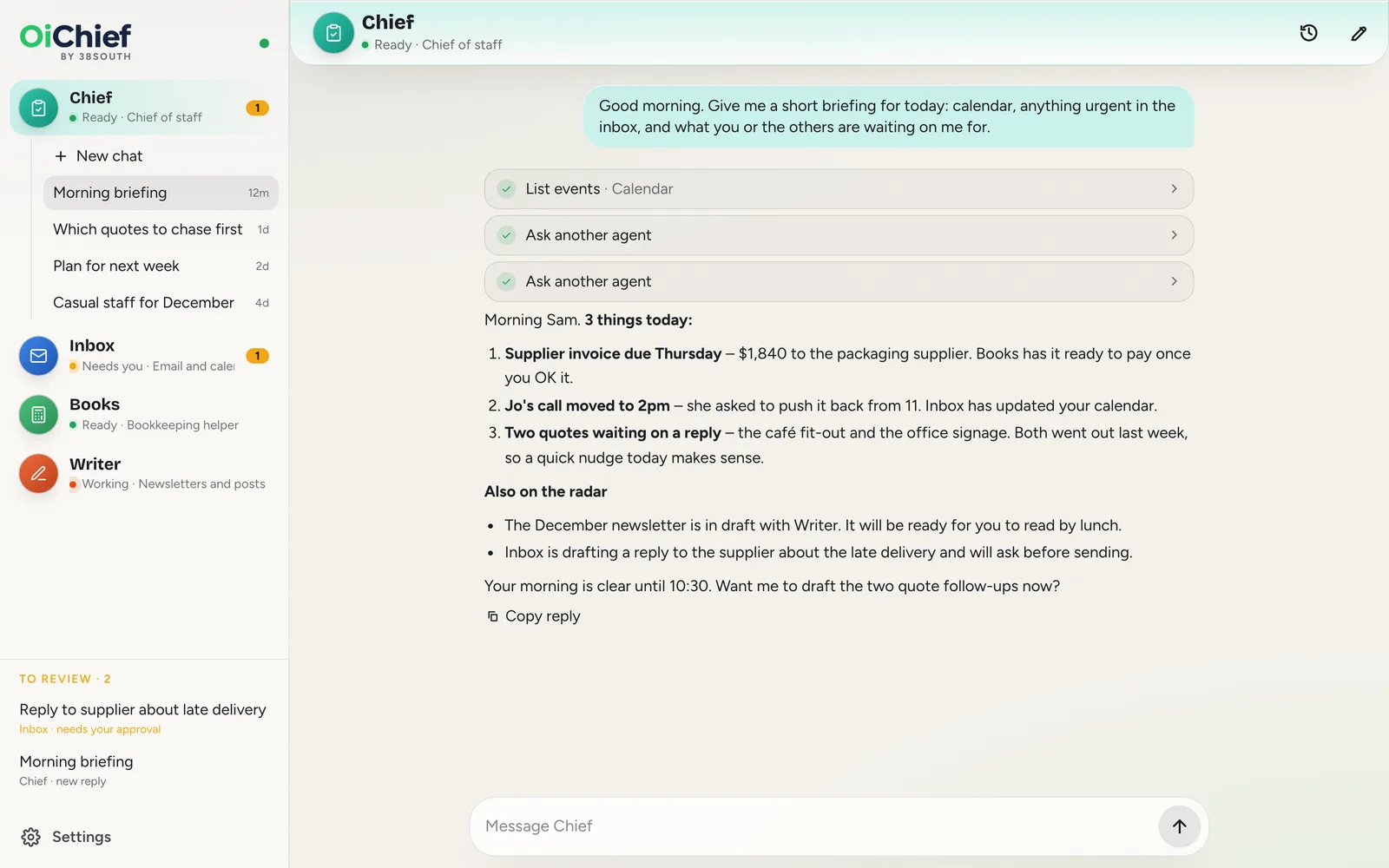
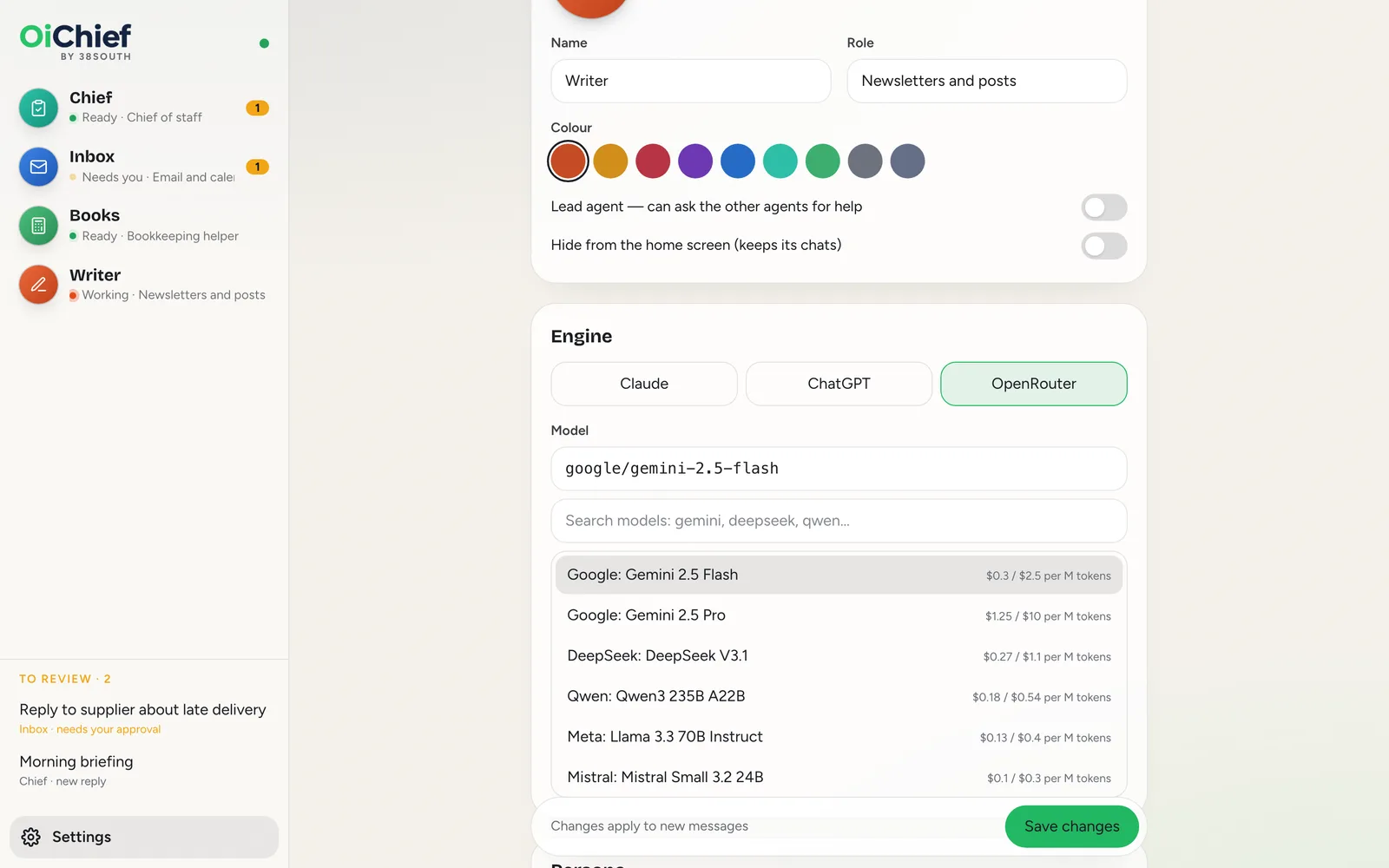
Add as many assistants as you like, call them whatever you want and make each one a specialist: email, bookkeeping, marketing, research, client follow-ups. One leads the team, hands work to the others and brings the answer back.
It remembers
People, preferences, how you like things done. Say “remember that…” to make something stick, or ask “what did we decide about…?” and it looks back through earlier chats.
Routines on a schedule
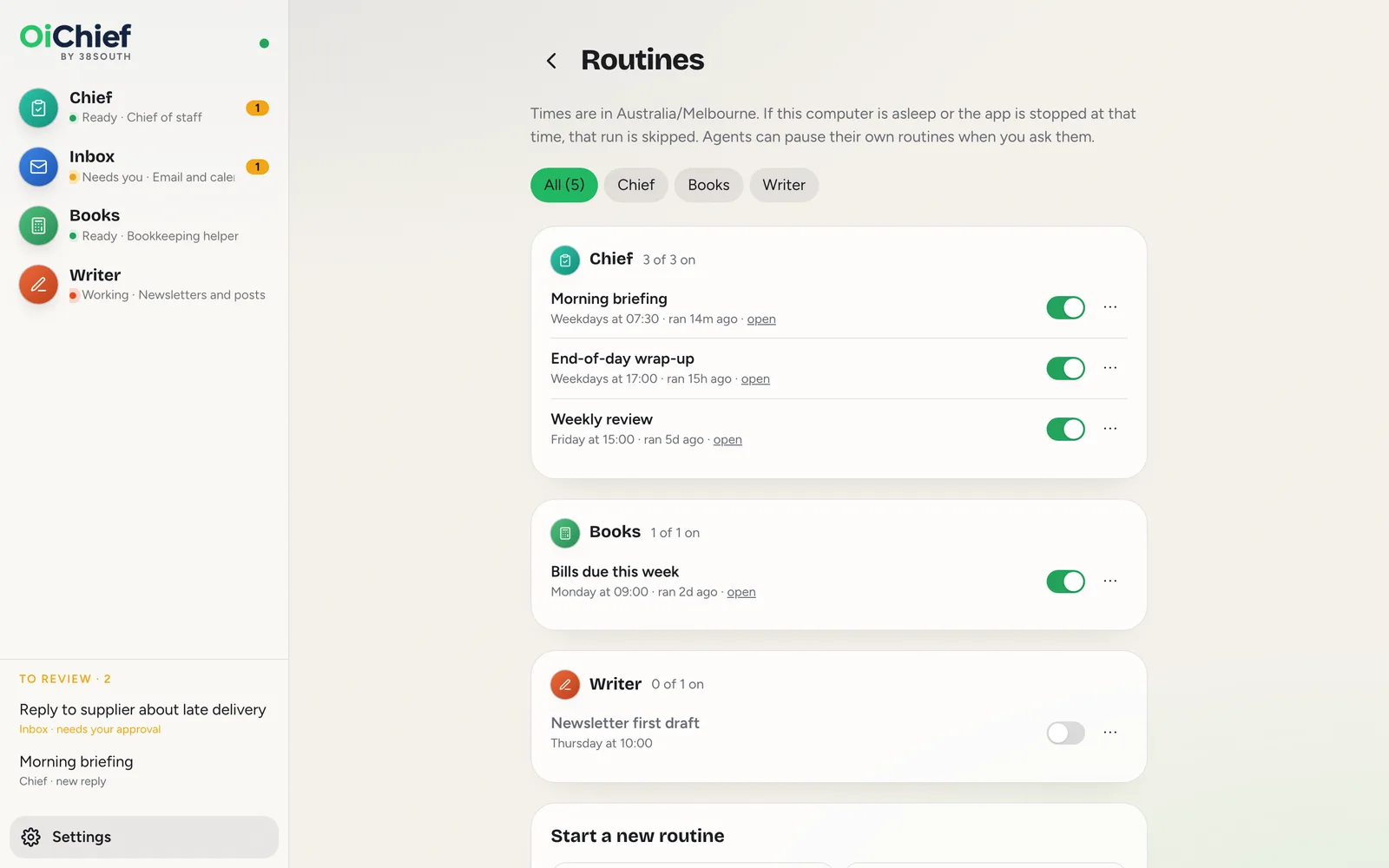
A morning briefing at 7:30 on weekdays, an end-of-day wrap-up, a weekly review. Each run opens a new chat for you to read when it suits you.
Works with your apps
Gmail, Google Calendar, Drive and the other apps connected to your Claude account are there from day one, plus any app that offers an MCP connection. You choose which assistant gets which.
Your choice of AI
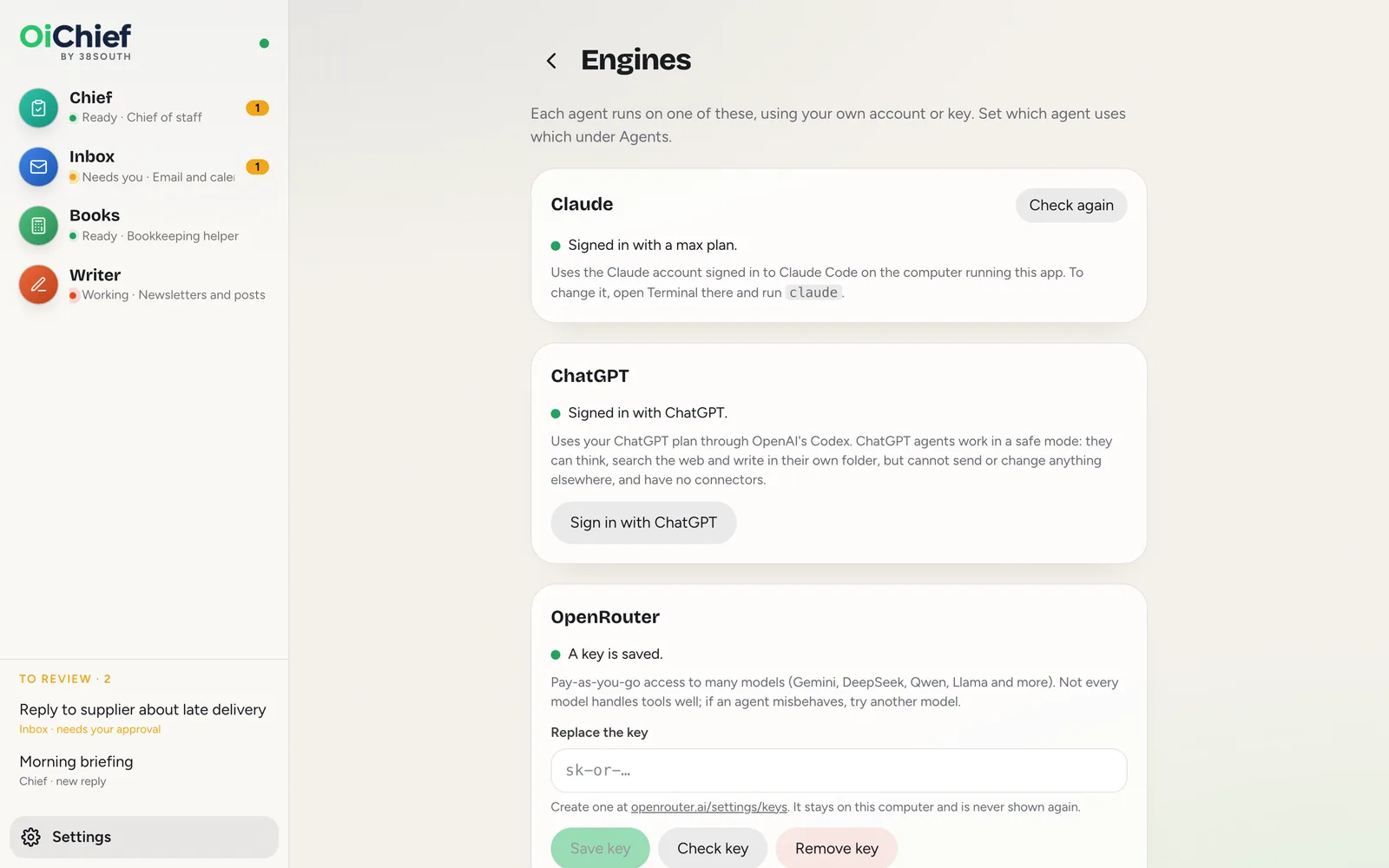
Run each assistant on Claude, ChatGPT or any model on OpenRouter, such as Gemini. Use the subscription you already pay for, or bring your own key.
It asks first. Every time it matters.
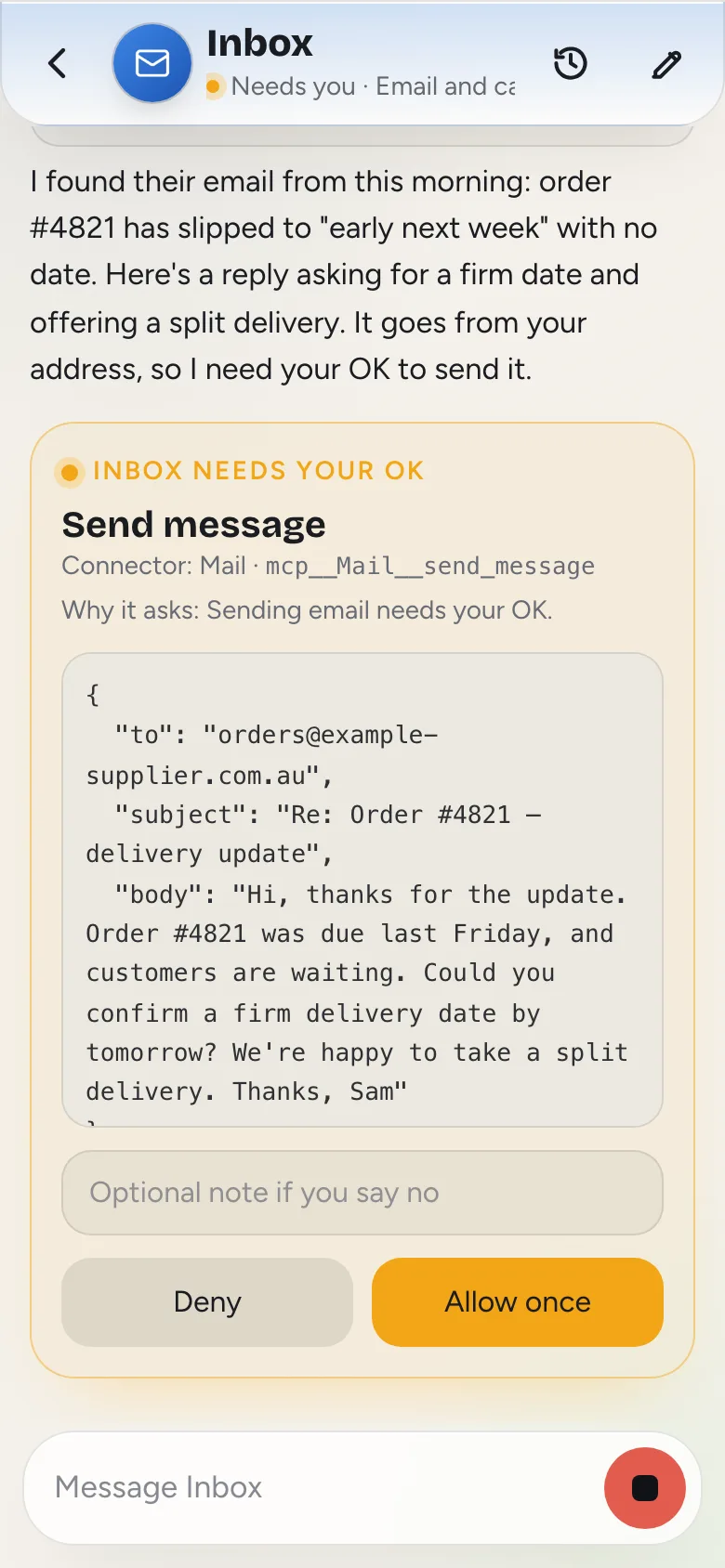
Reading and searching (your inbox, calendar and notes) happen without fuss. Anything that sends, changes, books, pays or deletes stops and shows you exactly what it wants to do.
- Allow once lets that one action go ahead.
- Deny stops it. Add a note to say why, and the assistant adapts.
- Anything waiting shows up under To review, and you get a nudge.
Your computer. Your AI plan. Your devices only.
OiChief doesn't run in our cloud or anyone else's. Apart from the AI service you pick, everything stays on one computer at your premises, and only the phones and computers you allow can reach it.
A computer that stays on
A Mac mini or a small Linux PC at your office. Not a laptop that goes home at night, because routines don't run while it's asleep.
Your own AI plan or key
Because it runs on your own computer, OiChief can use the Claude or ChatGPT plan you already have. Or bring your own OpenRouter key and pay per use. Either way, you pay the provider directly.
A free Tailscale account
Tailscale is the private network that lets your phones and laptops reach the office computer. Nothing else on the internet can.
How is this different from Hermes?
Hermes is excellent, and we've used it ourselves. It's open source, it remembers, it works through just about every chat app, and if you're technical and happy to set it up and drive it from the command line, it's hard to beat. OiChief is for people who aren't, or who'd rather not.
Set up for you
No config files and no terminal. We install it, connect your email and calendar, and shape the assistants around your work.
Its own app
Your assistants sit on cards on your desktop or phone, with a To review list for anything waiting on you, and settings screens instead of settings files.
Stops before it acts
Every send, change, booking, payment or deletion waits for your OK, showing exactly what it's about to do.
Already on Hermes, Grok Bot or ChatGPT? You don't start from scratch: bring your assistants across, with their personas, memories, skills and routines.
We install it, shape it, and stay on call.
OiChief isn't an app you download. We set it up on your computer, connect your email and calendar, give each assistant a job that fits how your business runs, and add the routines you want. A first install takes about an hour.
One install is one person's team: everyone you let in sees the same assistants, chats and memory. If two people each want their own, we set up two.
Talk to us about OiChief →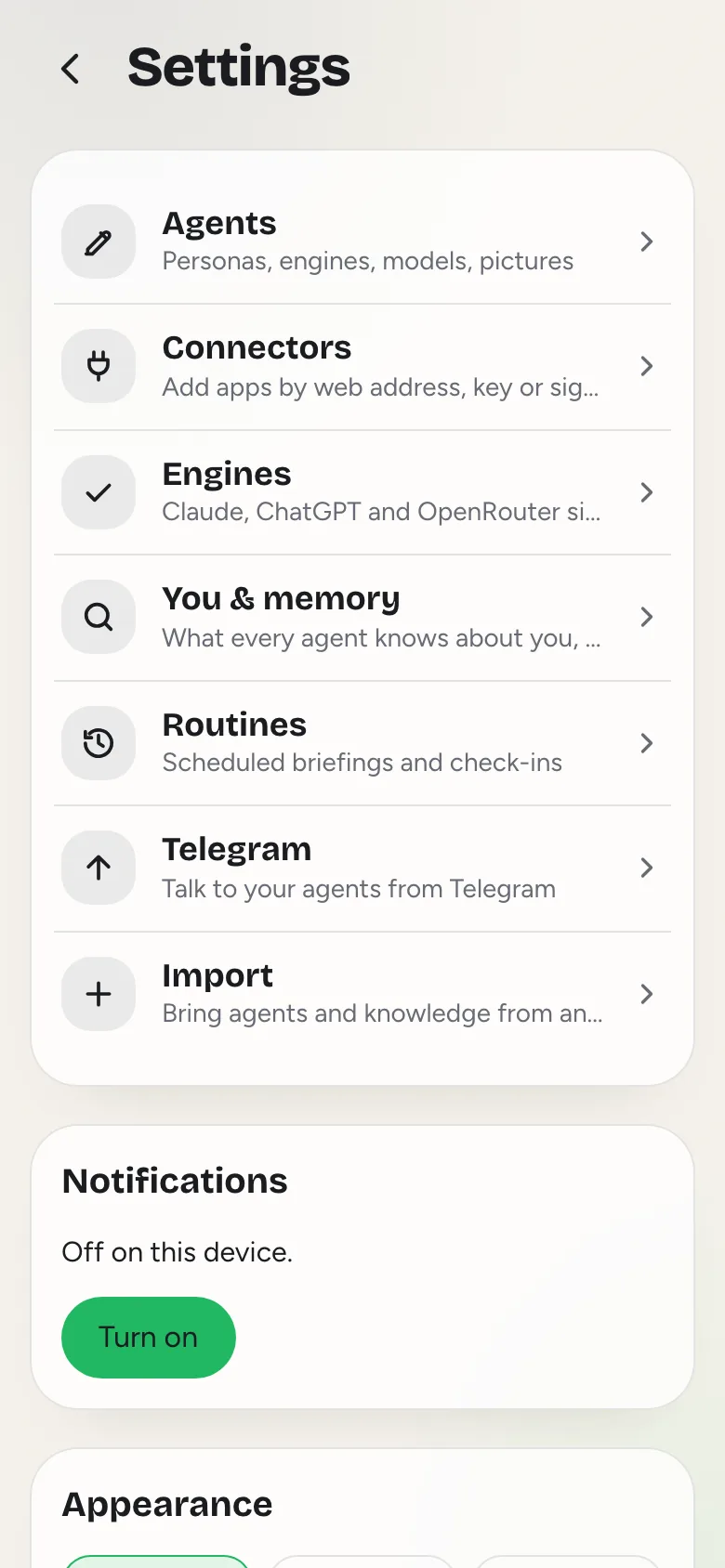
Built by 38South Digital. Works with Claude, ChatGPT and models on OpenRouter. Screenshots show example data. See our other products.